

New Release with GUI Settings Editor
I’m very pleased to announce the release of v1.6.5 of Datafeed Studio.
This release comes with a major new feature – a GUI Settings editor for your sites, no more editing the PHP configuration files in order to get the site you want.
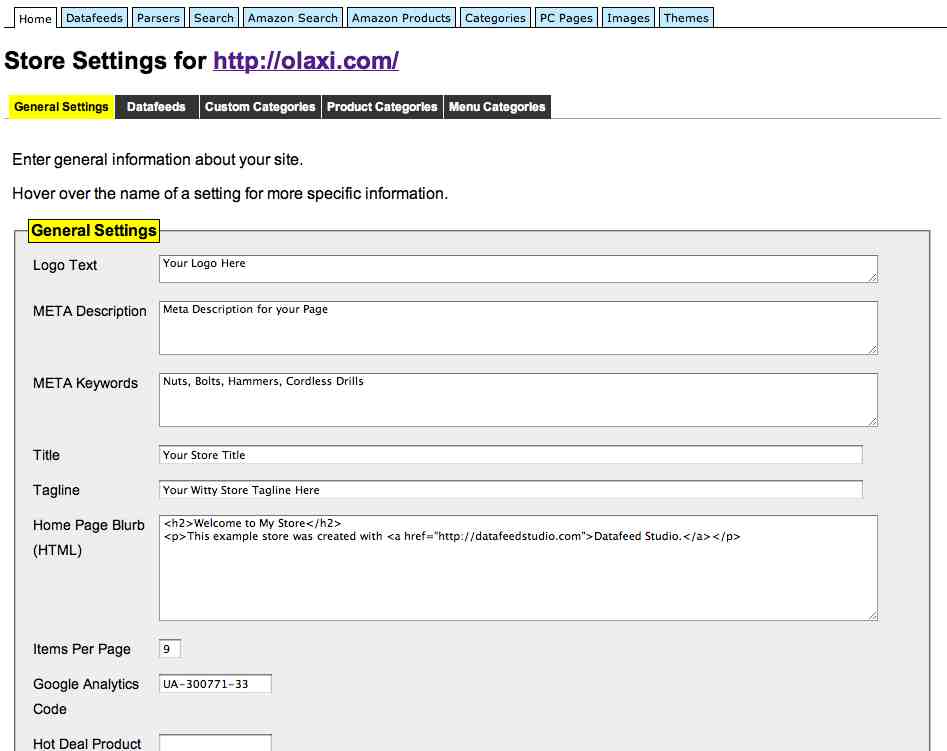
To try out this new feature, log into the demo (http://olaxi.com/admin, username : demo, password : demo) and click on the ‘Setttings‘ action next to the registered site name.
(Remember that this is a read-only demo, any attempts to update values will result in warnings).
The full changelog for v1.6.5 :
- new GUI editor for site settings
- standalone ‘Price Compare’ pages can now only be created via the ‘PC Pages’ tab, not from the site screen
- removed PUBLIC_URL from site configuration settings, this will now be taken from the registered site URL
- removed PHP short tags from theme editor for improved compatibility with different hosts
- renamed MyKey to ‘Product Key’ in product display page for consistency
I hope you like this new feature. Note, if you really still want to edit the configuration files manually, this is still possible,the configuration files still live in the site_configs folder as usual.
The latest release is available to download from here.